6.5. Target Values
Targets in MQC can be used to compare the current progress of a project against an expected respectively planned progress. If for instance for a particular milestone in a very early phase of a project the structural coverage is not yet expected to have a quality of 100%, this can be reflected by defining a proper target.
By choosing then Relative scope of quality assessment (see Quality Assessment Scope), the so-called relative quality, which is based on the configured targets, is shown in the visualizations.
6.5.1. Calculation of Target Values per Revision
Target values are defined for milestones, which means it is intended to reach a specific target value at the end of the corresponding milestone.
Because of the fact that quality is computed per revision, relative quality is calculated per revision as well. To do that, for each revision MQC takes the target value of the next upcoming milestone that has a configured target value (see Figure 6.17).
If there are no further upcoming milestones with configured target, the last configured target (of the most recent previous milestone with target) is kept until the end of the project.
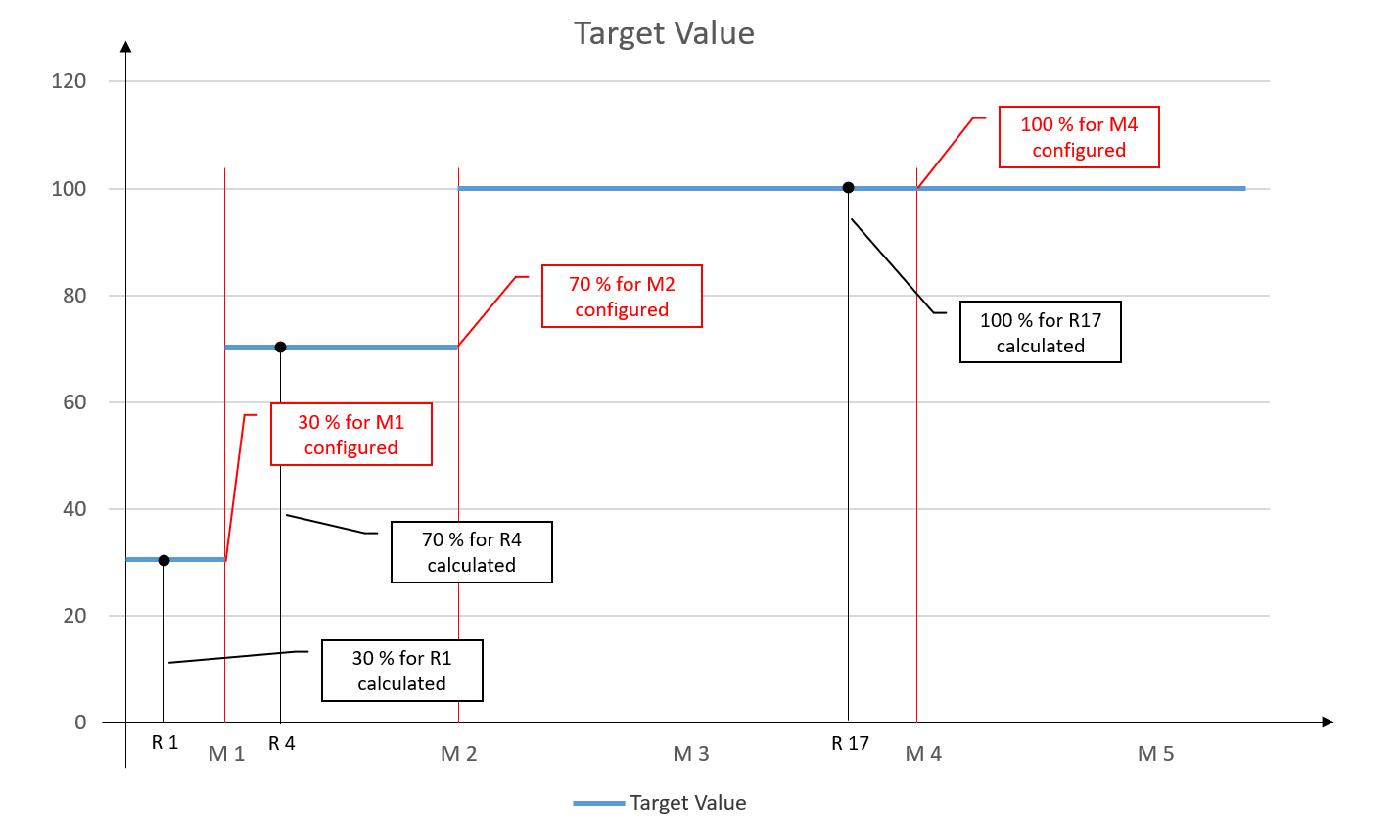
Figure 6.17 Target values are configured for milestones M1, M2 and M4, relative quality is calculated per revision using the target value defined for the next upcoming milestone with target.
Relative quality is calculated as follows:
quality value is missing -> relative quality is 0 %
target value = 0 -> relative quality is 100 %
in any other case -> relative quality is “quality value * 100 % / target value” (but not higher than 100 %)
If no target value is configured for all or for specific quality properties, a target value = 1 is applied, wich means a quality of 100 % is expected.
Please note, that even if a calculated quality value does not change over revisions (i.e., if no new data is imported), the relative quality may still change. For example, this could occur if a milestone is reached and a different target value is configured for the next milestone (see Figure 6.18).
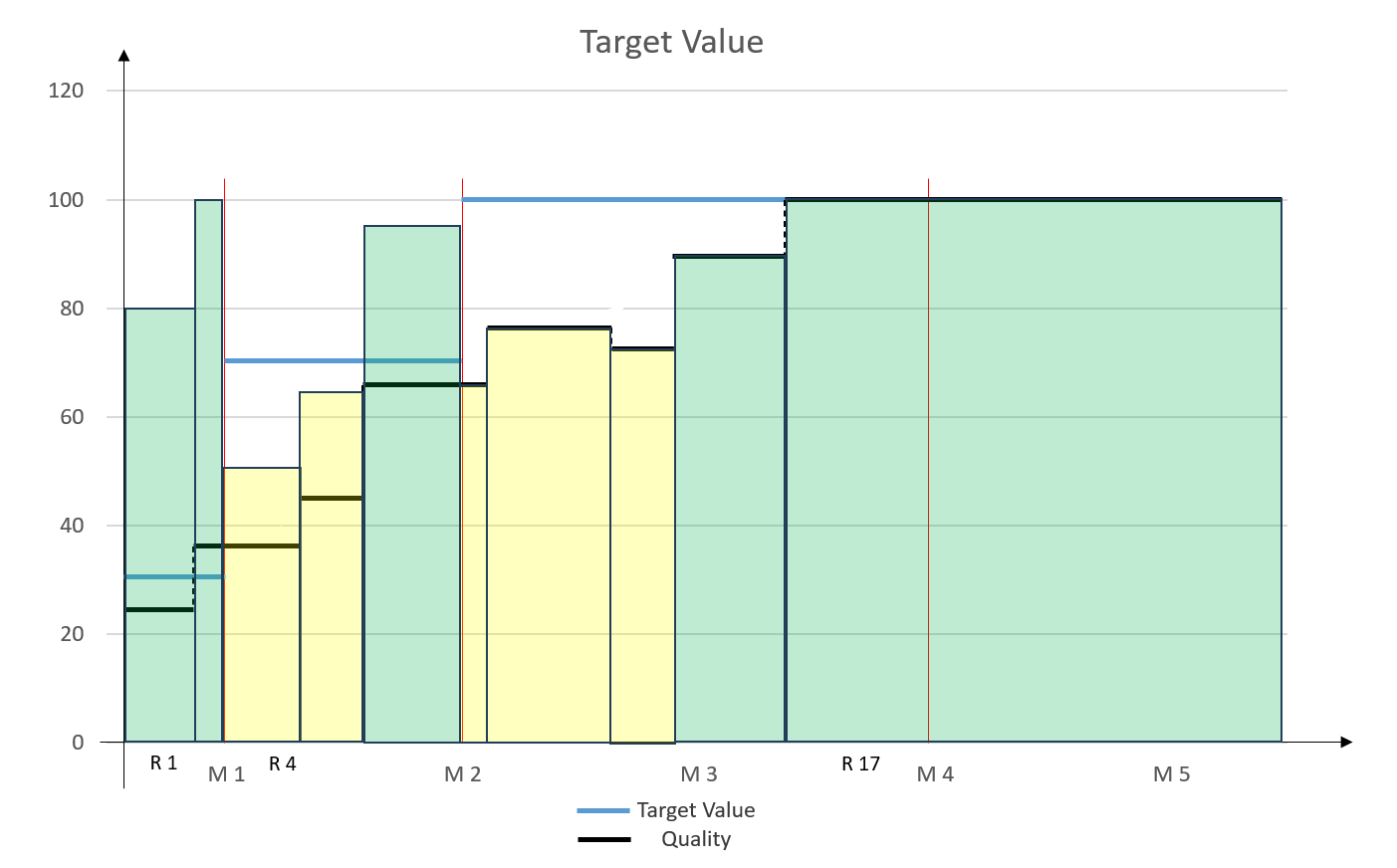
Figure 6.18 Relative quality changing after milestone even if the calculated quality value do not change.
For a comprehensive calculation of relative quality based on configured targets, a proper milestone configuration is needed. Each milestone must contain at least a valid milestone start due date. For details see Milestones.